
 Ahmet Yüceler
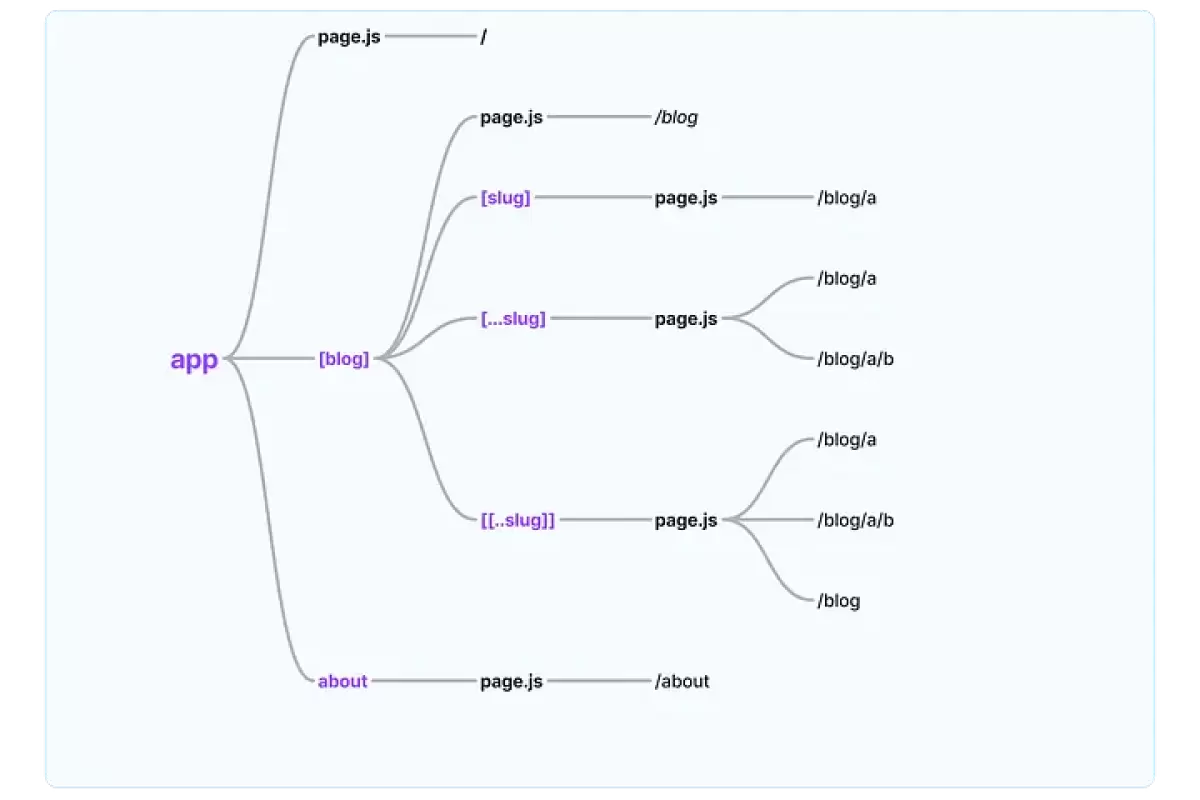
Version 13 of Next.js introduced the app router. This structure works together with the application's app directory. The app directory can be used alongside the pages directory, which lets developers adopt the app router into their projects step by step. When both routers coexist in a project, the app router takes precedence.
Next.js still uses file-based routing. With the app router, however, files and folders now have clearly defined roles.
- Folders: Define your application's routes. A route segment is the path that runs from the root folder down to the deepest folder containing a
page.jsfile, following the file system hierarchy. - Files: Create the user interface (UI) for a route segment.
Now let's create a route in a Next.js application:
Creating a Next.js application
npx create-next-app@latest
During setup, select YES for APP ROUTER.
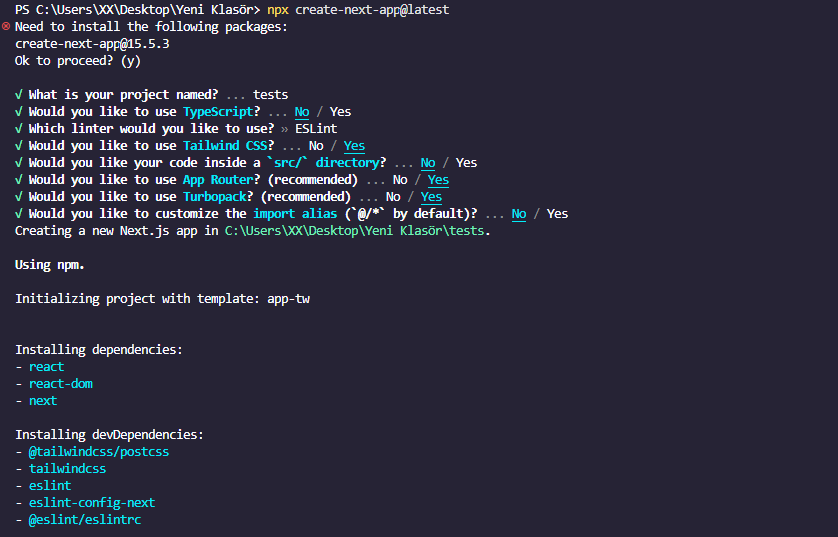
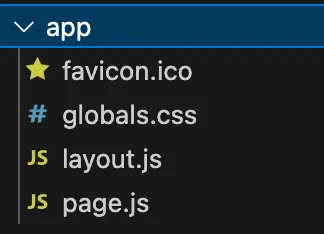
The app directory will be created at the root level of your project.
- layout.js → This will be your application's root layout.
- page.js → This will be served at the
/route, i.e. the root segment.
If you'd like, I can also show this as a file structure diagram. For example:
Would you like me to add that too?
2. A Route Segment
Let's create the/blogroute segment:- Create a folder named
bloginside theappdirectory. This folder will define our route. - Add a
page.jsfile inside theblogfolder. This file will contain the user interface (UI) elements for our route. - 3. Nested Routes:
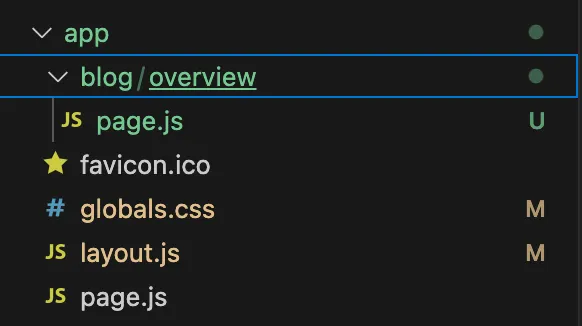
To create a nested route, you can nest folders inside one another.
For example, to add the/blog/overviewroute, you need to do the following:- Create a folder named
overviewinside theblogfolder. - If this route is going to return user interface (UI) elements, you can add them inside a
page.jsfile. - Figure:
/blog/overviewnested route
- 4. Dynamic Route Segments:
Dynamic route segments are created by wrapping the folder name in square brackets, for example:[folderName].
Thepage.jsinside this folder returns the UI elements for the page. - Figure: Dynamic route
/blog/[slug]/page.jscan handle the following paths: /blog/1/blog/a
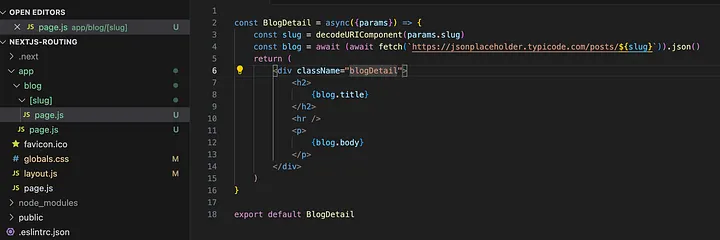
- Dynamic segments are passed to pages as
params. Here, we can access theslugdynamic segment usingparams.slug.
- 5. Catch-All Segments:
Dynamic segments can be extended to catch all subsequent segments by adding three dots...inside the square brackets. - For example:
/blog/[...slug]/page.jscan handle the following paths: /blog/a/blog/a/b/blog/a/b/c
- 6. Optional Catch-All Segments:
Optional catch-all segments are created by using double square brackets:[[...folderName]]. - For example:
/blog/[[...slug]]/page.jscan handle the same paths as catch-all segments (/blog/a,/blog/a/b,/blog/a/b/c).
But since these segments are optional here, it can also handle the/blogroute.
Leave a comment
Your email address will not be published. Required fields are marked *